Passwordhunter2-prod
BlurPixelateHighlight
Blur, pixelate or highlight
Hide a password or a face, or make one spot stand out. It follows the content.
Record. Umi does the zooms, captions and sound. Free forever.

Three ways to record

The others charge to use them for work or stop you at five minutes. Umi doesn’t.
Prices from loom.com and cap.so, October 2026.
Unlimited videosAny length, 4KThe editor
Hide a password or a face, or make one spot stand out. It follows the content.
Switch any stretch to camera only, split or floating.
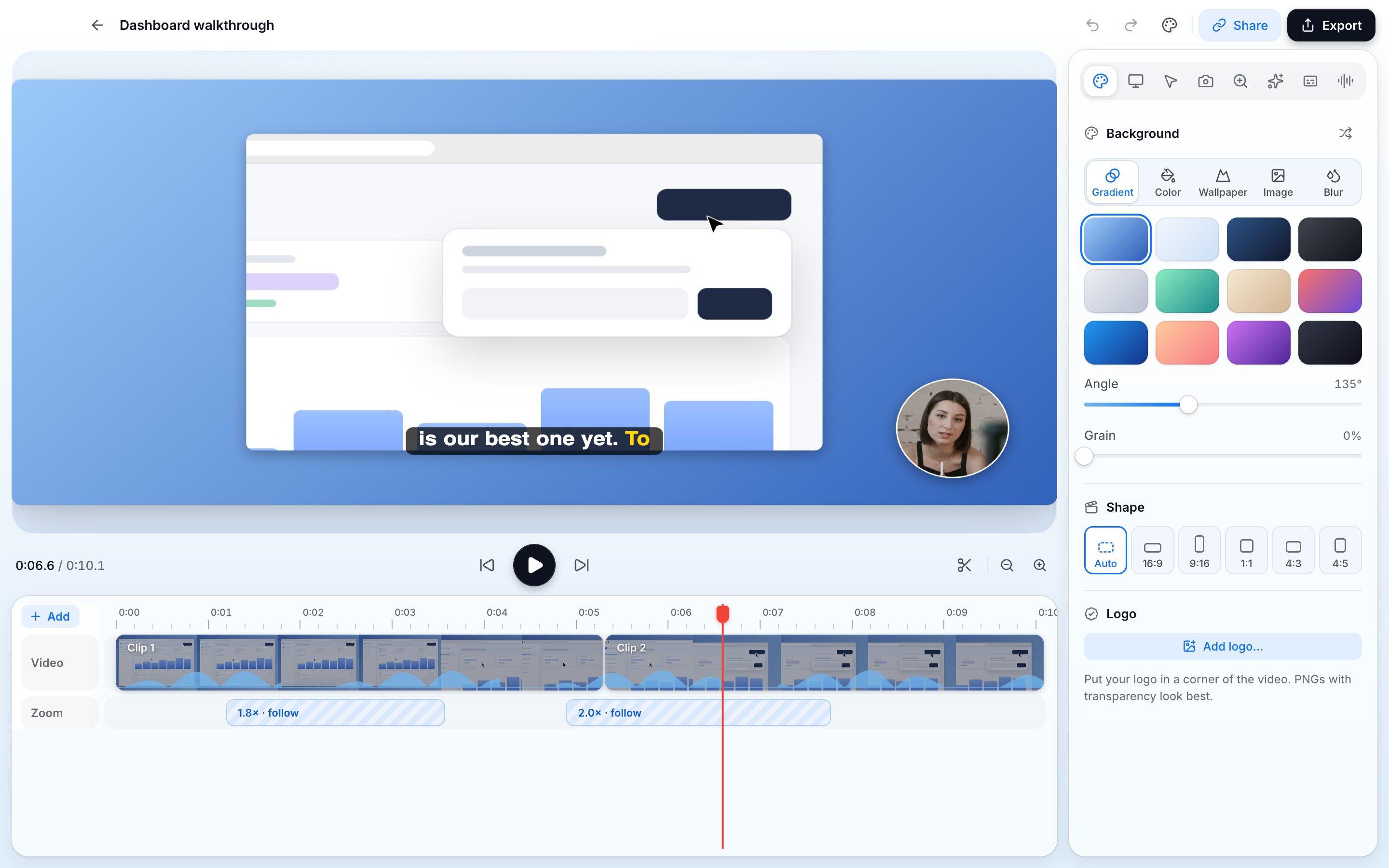
Zooms come from your clicks. Change them on the timeline.
Here’s the new dashboard
Words appear as you say them, the current one lit.
Soumthisisuhthenewlikepage.
One click cuts every um and uh. Or delete words in the transcript.
Titles, lower thirds and big numbers, in and out.
Gradients, photos, your wallpaper or your own image.
Blur or remove your background. No green screen.
Split at 0:12
Split, speed up and lay music underneath.
Ada · just now · 0:10
Umi AI · on your computer
The work after the recording is already done, and none of it leaves your Mac.
Every platform
One app, the same editor everywhere. Or record right in your browser, nothing to install.
Umi is open source. Read it, change it, ship your own.
$ git clone https://github.com/huseyinsezeryildirim/umi
$ pnpm install
$ pnpm dev
✓ Umi is running

Captions, voices and background removal run on your computer. Nothing is uploaded unless you share a link.
On your computer
Your recordings are never used to train AI models.
Umi for agents
Umi has a local MCP server, so Claude Code, Cursor or any agent can find, transcribe, cut and export your recordings. Nothing runs without you asking.
Point Claude Code, Cursor or Codex at Umi’s MCP server and it’s ready.
$ claude mcp add umi -- umi-mcp
Every tool returns JSON, so agents and scripts can chain them.
→ list_recordings [{ "name": … }]
The server runs on your machine and reads your library. No keys pass through the model.
$ umi-mcp
It edits and exports. It never records you or uploads anything on its own.
list · describe · transcribe · edit · export
→ describe_recording { "recording": "Dashboard walkthrough" }
→ edit { "operations": [{ "op": "remove_fillers" }] }
→ export { "format": "mp4" }
Find a recording, read its transcript, cut it and export it from any agent that speaks MCP.
Read the MCP docsOpen source
They live on your computer. Share them through Umi Cloud, or run the cloud yourself.
demo.umi
Everything that happens on your computer costs nothing, including for work. You only pay when we host things for you.
Need links that stay up? Umi Prolaunching soon
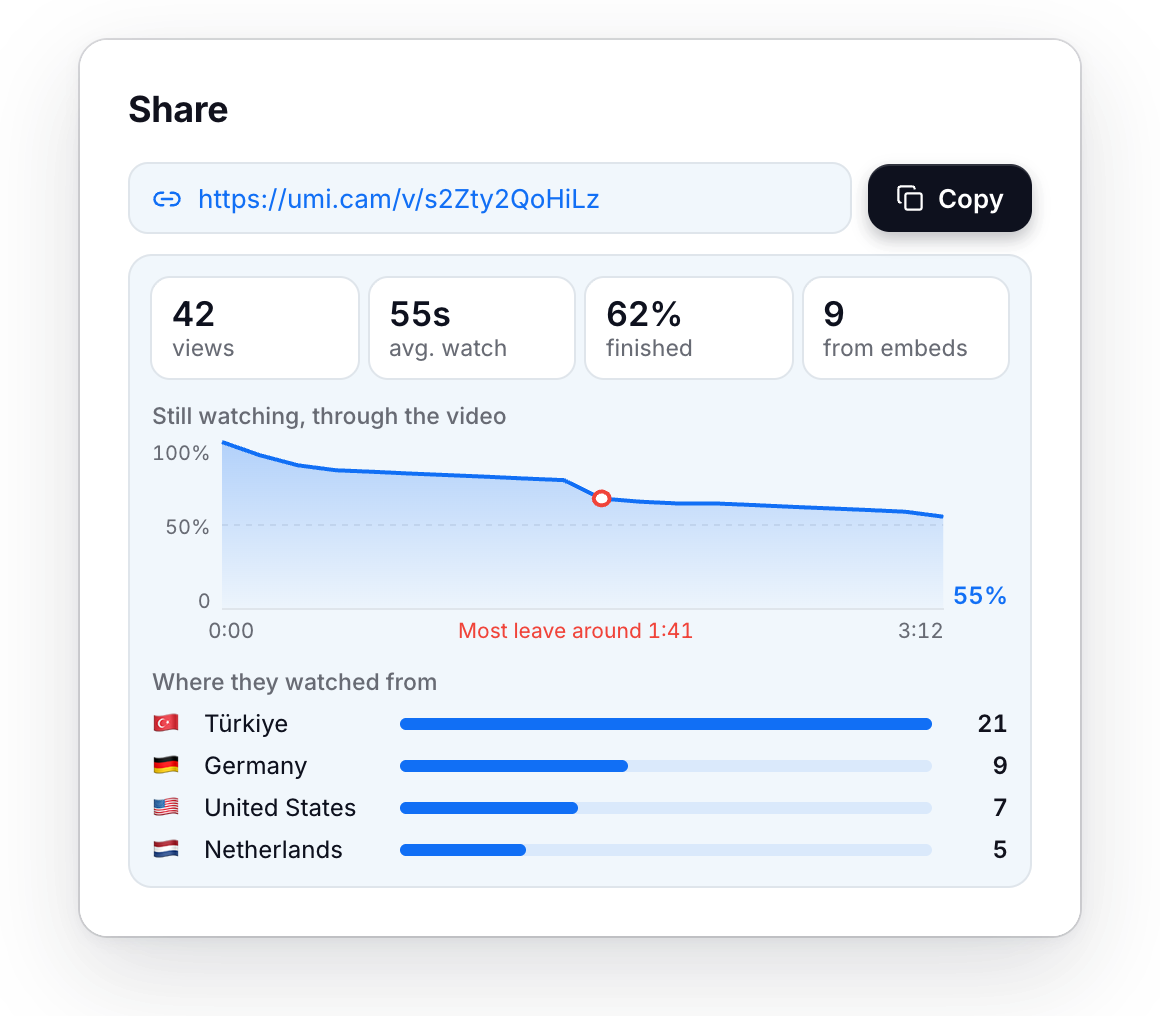
Links that stay up, up to 4 hours each · 200 GB of cloud storage · Who watched, and for how long · Passwords and expiry dates on links
$8 /mo
Testimonials
What early users say about recording with Umi.
A quote from an early user goes here. Two or three sentences about what Umi changed for them.
A short quote.
A longer quote from someone who switched from Loom. What they liked about the editor, the captions and the price, and how long it took to move their team over.
A quote about recording a bug report and sending the link in seconds.
A quote from a developer who used the MCP server with their agent.
A quote about how the exports look edited without editing anything.
Switching from Loom
Paste the links or drop in your library’s CSV. They become Umi projects you can edit.
Free. No account needed.